What Is the Best Way to Use AI to Manage Your Google Workspace Account?
Managing a Google Workspace account can feel straightforward when a business is just starting out, but as operations expand and teams grow, the number of emails, files, meetings, documents, and collaboration requests can quickly become overwhelming, which is exactly where artificial intelligence becomes a practical and valuable tool for simplifying daily digital work.
AI is not just about automation in a technical sense, it is really about reducing the amount of repetitive thinking and manual effort that goes into everyday tasks, so that business owners and teams can focus more on strategy, communication, and actual decision making instead of spending time on administrative work.
With Google Workspace already being the central hub for communication and productivity in many businesses, adding AI into the workflow creates a much more streamlined system where information is easier to access, tasks are completed faster, and collaboration becomes significantly more efficient across teams.
What Is Google Workspace?
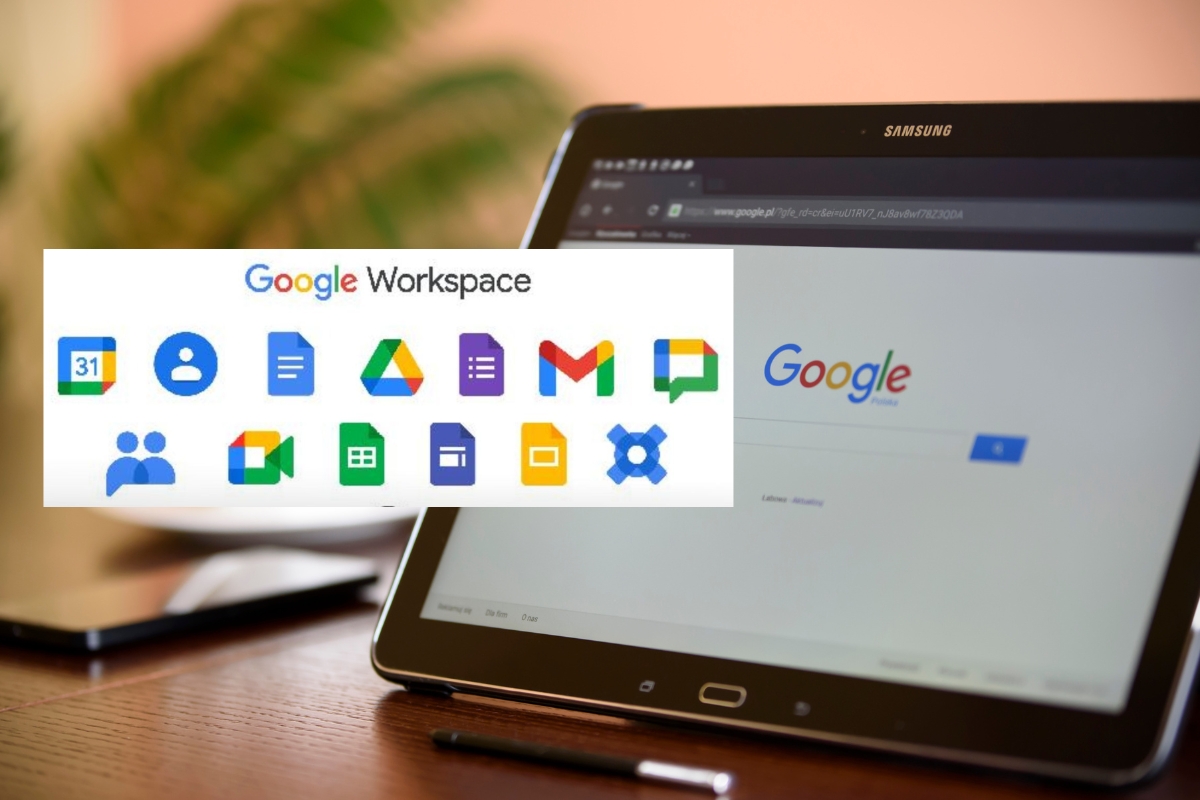
Google Workspace is a cloud based productivity platform designed by Google to support business communication, file management, scheduling, and collaboration in one integrated ecosystem, which means users do not need to rely on multiple disconnected tools to run their daily operations.
It includes several core applications that most businesses use on a daily basis, such as:
- Gmail for professional email communication that keeps business correspondence organized
- Google Drive for cloud storage that allows teams to access and share files securely from anywhere
- Google Docs for collaborative writing where multiple users can edit and comment in real time
- Google Sheets for data tracking, reporting, and analysis that supports business decision making
- Google Meet for virtual meetings that enable remote communication and teamwork
- Google Calendar for scheduling that helps coordinate meetings, deadlines, and appointments
- Google Chat for internal messaging that improves fast communication within teams
As businesses scale and the amount of stored data increases across these tools, managing everything manually becomes more time consuming, which is why AI integration becomes extremely valuable for improving efficiency and organization.
Why AI Matters for Managing Google Workspace
AI matters because it changes the way users interact with information inside Google Workspace by reducing manual effort and replacing repetitive tasks with intelligent automation, which leads to faster workflows and better overall productivity across the entire organization.
Instead of spending time searching for emails, writing documents from scratch, or manually summarizing meeting notes, AI can perform these tasks instantly while also improving accuracy and consistency across outputs.
Some of the most important benefits of using AI in Google Workspace include:
- Reducing time spent on repetitive administrative tasks such as email sorting and document formatting
- Helping users quickly summarize large volumes of information so key insights are easier to understand
- Improving communication by drafting emails, responses, and messages in a professional tone
- Supporting better decision making through faster access to relevant files and data
- Enhancing collaboration by making shared documents and meeting summaries easier to follow
- Increasing productivity by allowing teams to focus on higher value work instead of manual tasks
These benefits become even more powerful when AI is directly integrated into Workspace tools through Google’s built in assistant, Gemini. More information about AI in Google Workspace can be found HERE.
Introducing Gemini for Google Workspace
Gemini is Google’s advanced AI assistant that is built directly into Google Workspace and designed to help users complete tasks more efficiently by working alongside them inside the applications they already use every day.
Instead of switching between different tools or manually performing repetitive actions, Gemini acts like an intelligent assistant that understands context, responds to prompts, and helps generate or organize content within Gmail, Docs, Sheets, Drive, and Meet.
Gemini is designed to support users in several practical ways, including:
- Generating written content such as emails, reports, and proposals based on simple prompts
- Summarizing long conversations, documents, or meeting notes into short and clear insights
- Helping analyze data in spreadsheets by identifying trends and patterns automatically
- Creating structured content such as outlines, presentations, and business documents
- Answering questions directly from within Workspace files without needing manual searching
- Organizing information more efficiently across multiple apps within Google Workspace
According to Google Workspace updates, Gemini is deeply integrated into the platform, meaning it works inside the tools rather than as a separate system, which makes it easier for businesses to adopt without changing their existing workflows.
How Gemini Can Be Used in Google Workspace
Gemini becomes most useful when applied directly inside daily business operations, because it enhances existing tools rather than replacing them, which allows teams to improve productivity without changing how they work entirely.
Gemini in Gmail
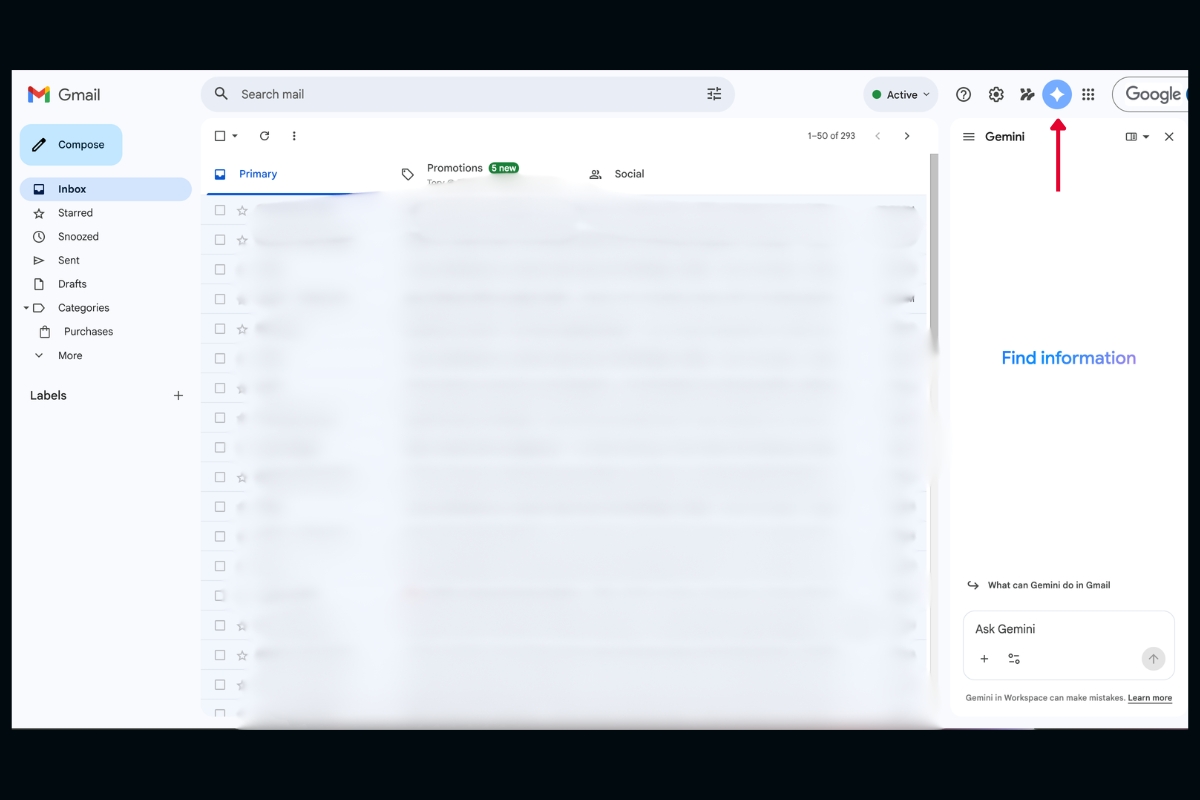
Gmail becomes significantly more efficient when AI is introduced because email communication is often one of the most time consuming parts of business operations, especially when inboxes contain hundreds of messages that require sorting, responding, and prioritizing.
With Gemini in Gmail, users can:
- Draft professional email responses quickly using short instructions
- Summarize long email threads so the main points are clear without reading everything
- Identify important action items hidden inside conversations
- Suggest replies based on context and tone of previous messages
- Help locate specific information from past emails without manual searching
This allows business owners and teams to manage communication more effectively without getting overwhelmed by inbox volume.
Gemini in Google Docs
Google Docs becomes a much more powerful writing tool when Gemini is used because it helps users create, refine, and improve written content faster, especially when working on business documents that require clarity and structure.
With Gemini in Docs, users can:
- Generate first drafts of reports, proposals, and articles from simple instructions
- Rewrite content to improve clarity, tone, or professionalism depending on the audience
- Summarize long documents into short versions that highlight key points
- Suggest improvements in structure and readability for better communication
- Help create meeting notes or project documentation more efficiently
This is especially useful for businesses that regularly produce written materials and want to reduce time spent on content creation.
Gemini in Google Sheets
Google Sheets becomes much easier to manage with AI support because working with data manually can be time consuming, especially when dealing with large spreadsheets that require analysis or reporting.
With Gemini in Sheets, users can:
- Generate formulas using natural language instead of manual formula writing
- Identify patterns and trends within large data sets
- Automatically organize and clean up spreadsheet data
- Create summaries that explain what the data means in simple terms
- Help build reports faster with structured outputs
This makes spreadsheet work more accessible even for users who are not highly technical.
Gemini in Google Drive
Google Drive can become cluttered over time as businesses store more documents, files, and folders, which can make it difficult to locate important information quickly without spending unnecessary time searching.
With Gemini in Drive, users can:
- Search for files using natural language instead of exact file names
- Summarize PDFs and long documents instantly
- Highlight key information inside stored files
- Suggest related documents based on context
- Help organize content more efficiently across folders
Recent updates also show that Gemini can summarize documents directly within Drive, which reduces the need to open multiple files manually.
Gemini in Google Meet
Google Meet becomes more productive with AI assistance because meetings often generate follow up work such as notes, action items, and summaries that usually require manual effort to organize.
With Gemini in Meet, users can:
- Automatically generate meeting summaries after calls
- Capture key decisions made during discussions
- Highlight action items assigned to participants
- Reduce the need for manual note taking during meetings
- Help teams stay aligned by organizing meeting outcomes clearly
For teams looking to go further with meeting efficiency and AI-driven productivity, AI note taking tools can make a big difference in capturing and organizing discussions automatically
This ensures that important information from meetings is not lost or forgotten after discussions end.
Best Ways to Use AI to Manage Google Workspace
The most effective way to use AI in Google Workspace is not to replace human work, but instead to support it by reducing repetitive tasks and improving how information is processed and shared across the organization.
Some practical strategies include:
- Automating repetitive tasks such as email drafting, document creation, and data summarization
- Using AI to improve collaboration by making shared content easier to understand and manage
- Reducing information overload by summarizing large volumes of data into simple insights
- Improving time management by allowing teams to focus on higher priority work instead of manual tasks
- Using AI as a knowledge assistant that can quickly retrieve and explain information from across Workspace
How to Activate and Unlock AI in Google Workspace
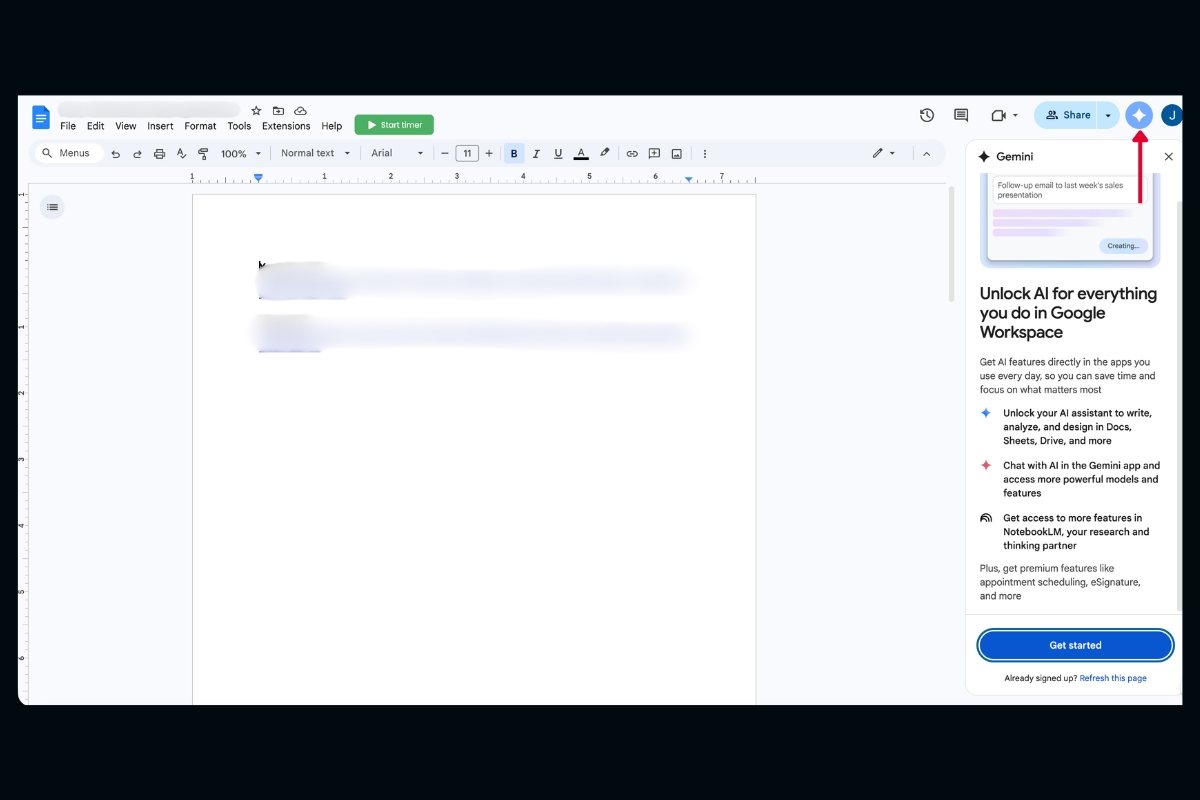
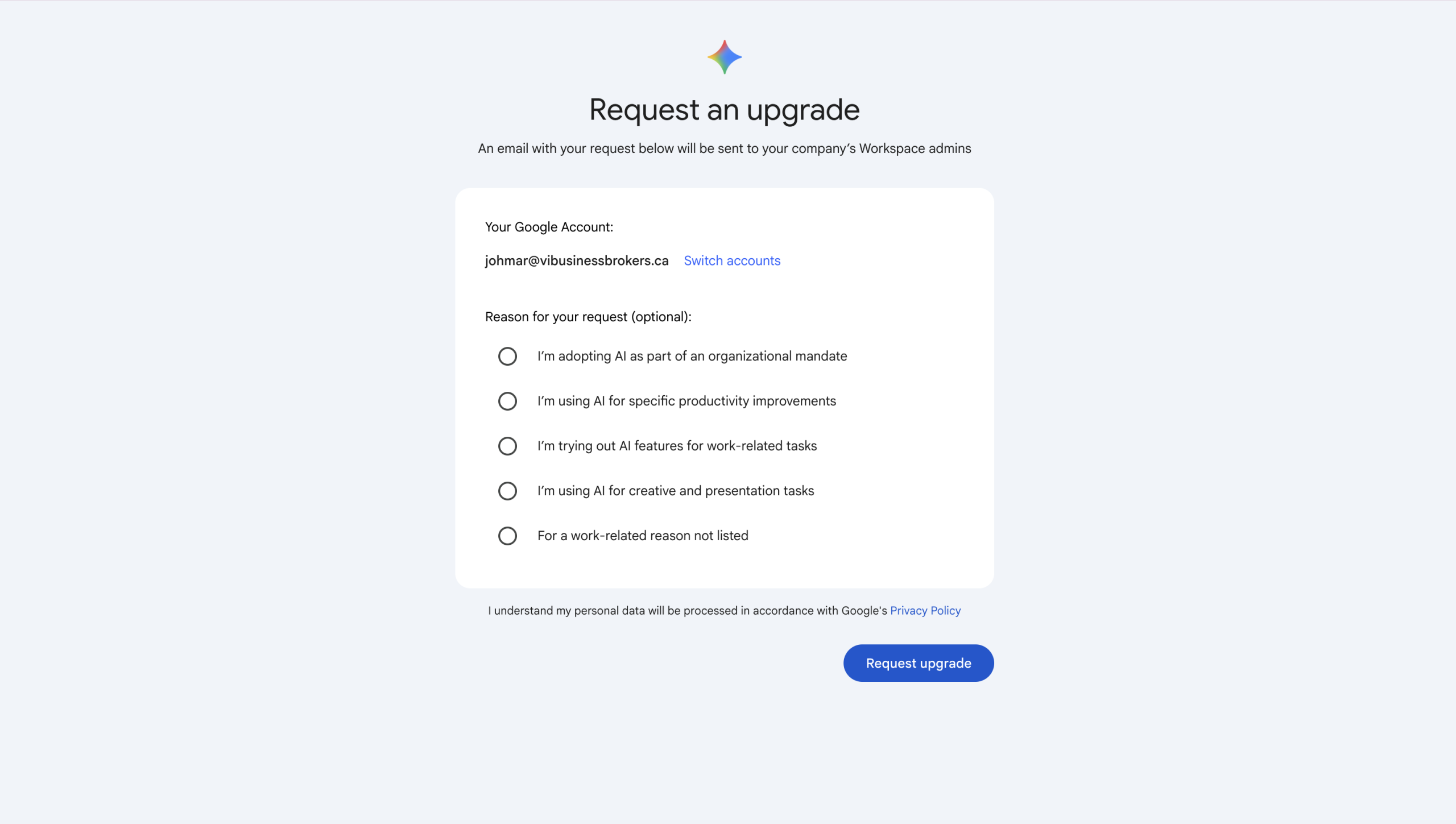
Before you can start using AI features like Gemini inside Google Workspace, you need to make sure they are properly activated within your account, because unlike standard features, AI tools are often tied to specific plans, admin settings, and permissions that need to be enabled first.
For most businesses, unlocking AI in Google Workspace is a simple process, but it does require a few intentional steps to make sure everything is set up correctly across your organization.
Here is how it typically works:
• Upgrade to a plan that includes AI features
Gemini is not always available on basic Workspace plans, so businesses usually need to upgrade to a plan that includes AI capabilities, such as Google Workspace with Gemini add-ons, which unlocks access across Gmail, Docs, Sheets, and other apps
• Enable Gemini through the Admin Console
Workspace administrators need to log into the Admin Console and turn on AI features for the organization, which allows control over who can access Gemini and how it is used across different teams
• Turn on Gemini inside Workspace apps
Once enabled at the admin level, users will start seeing the Gemini icon or side panel inside apps like Google Docs, Gmail, and Sheets, similar to the interface shown in the image, where you can click “Get started” and begin interacting with AI directly within your workflow
• Grant permissions and review settings
Admins can configure data access, privacy controls, and feature availability to ensure that AI is being used securely and appropriately within the company
• Start using prompts inside your tools
After activation, users can begin typing prompts directly into Gemini within Docs, Gmail, or Sheets, allowing them to generate content, summarize information, and automate tasks without leaving the app
Once everything is enabled, the experience becomes very seamless, because Gemini appears as a built in assistant on the side of your screen, ready to help with writing, analysis, organization, and collaboration in real time.
For most businesses, this setup process only takes a short amount of time, but it unlocks a significant productivity boost by turning Google Workspace into a much more intelligent and automated system.
Other Third Party AI Tools You Can Use With Google Workspace
While Gemini is already built directly into Google Workspace and offers a strong native AI experience across Gmail, Docs, Sheets, Drive, and Meet, many businesses also choose to extend their setup with third party AI tools that add extra functionality, improve specialization, and help teams work even faster depending on their specific workflows.
These tools are especially useful for companies that want more advanced writing assistance, meeting automation, email productivity, data analysis, or presentation creation beyond what standard Workspace features provide.
Below are some of the most practical and widely used AI powered third party tools that integrate well with Google Workspace and can significantly improve productivity.
Lindy.ai is becoming one of the more interesting third party AI tools for businesses using Google Workspace because it goes beyond traditional chat based assistance and functions more like an AI employee that can actively manage ongoing work across multiple business systems. By connecting with tools such as Gmail, Google Calendar, Google Meet, Google Drive, and other business applications, Lindy can automate inbox management, schedule coordination, meeting preparation, follow ups, research tasks, and workflow execution without requiring users to manually trigger every action. Rather than simply generating responses, Lindy is designed to operate continuously in the background and carry out tasks autonomously while adapting to user preferences over time. This makes it particularly attractive for executives, operations teams, and growing businesses that want to reduce repetitive administrative work and create more automated day to day processes inside their Google Workspace environment.
Claude Cowork is becoming one of the more interesting AI productivity tools for businesses using Google Workspace because it is designed to function more like a true AI assistant that can continuously work alongside users rather than simply responding to one time prompts. Claude Cowork can connect with emails, documents, and workflows to help organize information, draft responses, summarize conversations, and assist with day to day operational tasks in a much more persistent way. One of the biggest developments is that it can now remain active in the background and continuously help manage email workflows, which means businesses can use it to monitor inboxes, assist with drafting replies, organize communication, and reduce the amount of manual email management required throughout the day.
GrammarlyGO integrates directly with Gmail and Google Docs, making it easier to write clearer, more professional communication by helping users draft emails, refine tone, and improve sentence structure, which is especially useful for executives and teams that handle a high volume of written communication throughout the day.
Jasper AI is a strong content generation tool that works well with Google Docs and is widely used by marketing teams and agencies because it can generate blog posts, landing pages, product descriptions, and social media content at scale while maintaining consistent tone and brand voice across all outputs.
Otter.ai connects with Google Meet and is commonly used for meeting transcription and summarization, allowing teams to automatically capture conversations, generate accurate summaries, and extract action items so that no important discussion points are missed during virtual meetings.
SheetGPT works directly inside Google Sheets and helps users automate spreadsheet tasks such as generating formulas, analyzing datasets, and summarizing data trends, making it much easier for teams to handle reporting and data analysis without advanced technical skills.
MagicForm AI enhances Google Forms by allowing users to generate complete surveys and questionnaires using simple prompts, which saves time for HR teams, educators, and researchers who regularly need structured forms for data collection.
AI is becoming a core part of modern business productivity, and when used properly inside Google Workspace, it can significantly reduce workload while improving efficiency, communication, and organization across teams.
With Gemini integrated directly into tools like Gmail, Docs, Sheets, Drive, and Meet, businesses now have access to an intelligent assistant that helps them work faster and smarter without needing to change their existing systems.
For most businesses, the best approach is to start small, use AI for repetitive tasks first, and gradually expand usage as teams become more comfortable, because over time, AI becomes less of a tool and more of a daily assistant that supports almost every part of business operations.
As businesses scale their systems and technology stack, it also becomes important to make strategic decisions about external partners and tools. In some cases, reviewing or replacing service providers can significantly improve efficiency and cost structure: https://vibusinessbrokers.ca/how-to-fire-your-web-developer/